Hack The Box - Appointment


Howdy my fellow Cyber Enthusiasts! Welcome to the first Starting Point Hack The Box offers. I am excited to embark on this journey with you. So, without further ado, let’s dive in! :)
Need to embark on an exciting journey on Hack The Box? Sign up now using the following Link.
Remember to change the IP adress to your allocated one! :)
There are 2 options available to connect to our machine. First using Pwnbox or secondly using OpenVPN.
I need to mention that if you are using the first option (Pwnbox) you can follow this guide, regardless if you are using Windows, Mac OS or Linux. This is the case, because a new tab will open in your web browser and there you can interact with the target machine.
Now, if you are using Ubuntu-based distros, you can following this guide using the second option as well, but it will not work with a Windows OS for example.
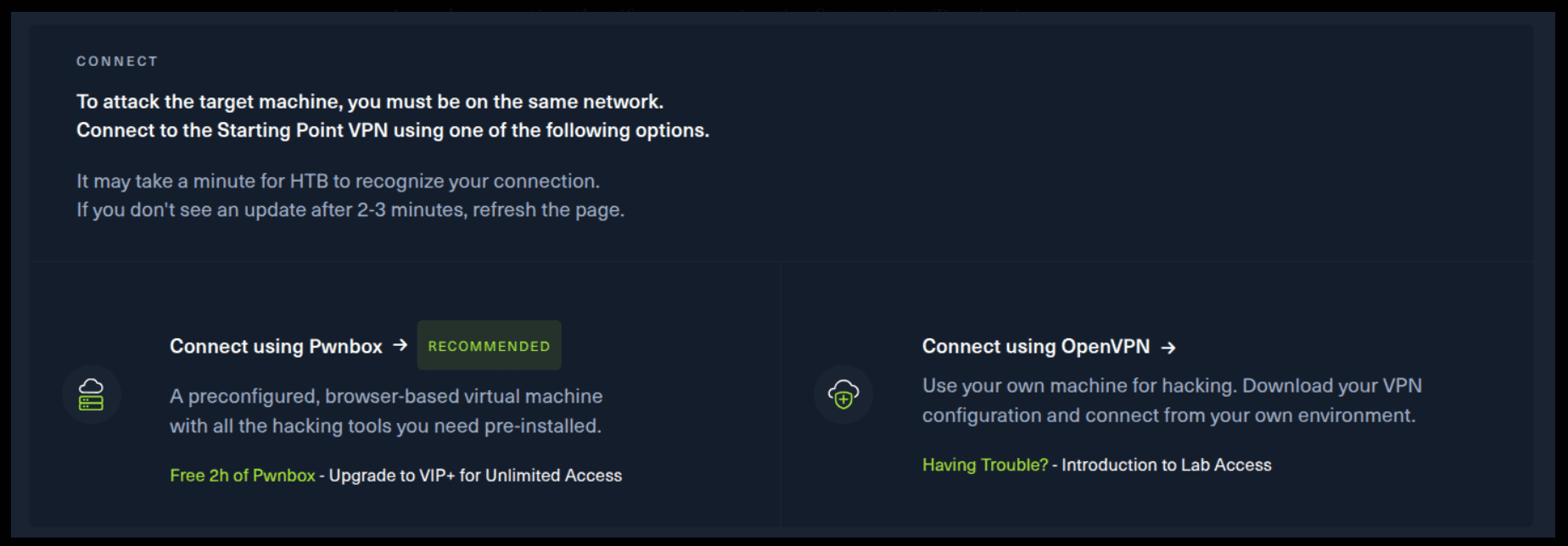
If you want to use the first option, it is very simple. Just click on the option and follow the instructions (Start Pwnbox). A new tab will open up and there you can interact with the machine.
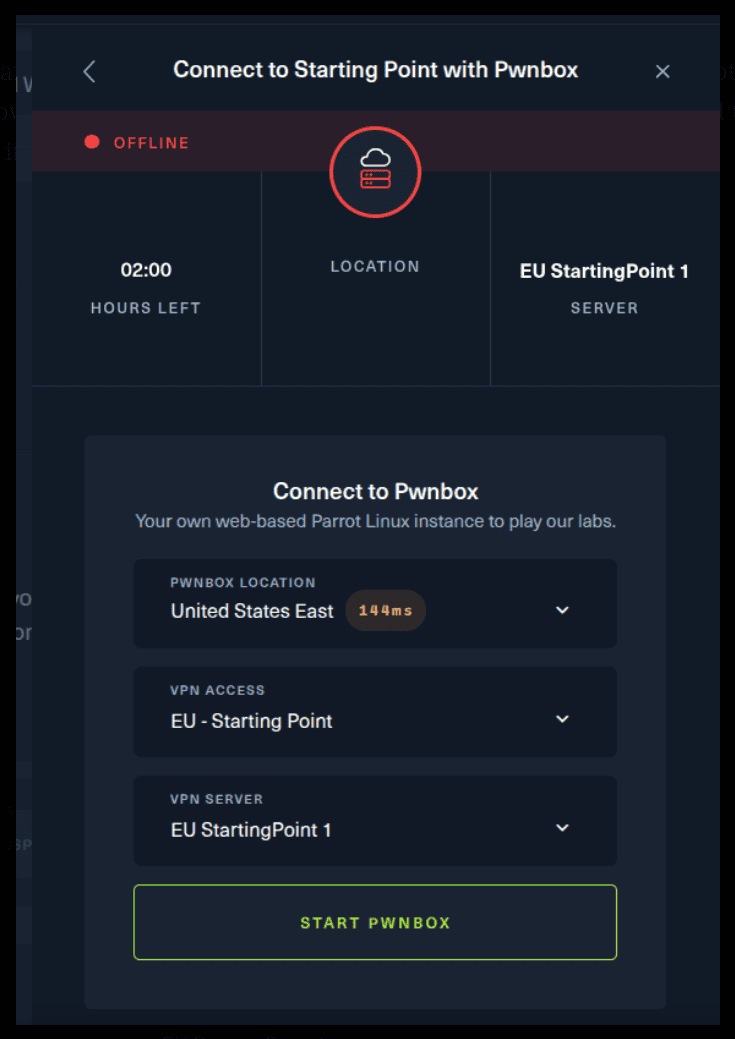
For the second option, things are a bit more complicated. You click on the “Connect using OpenVPN” and the follow section appears. Click on “Download VPN” and save the file on your desired folder.
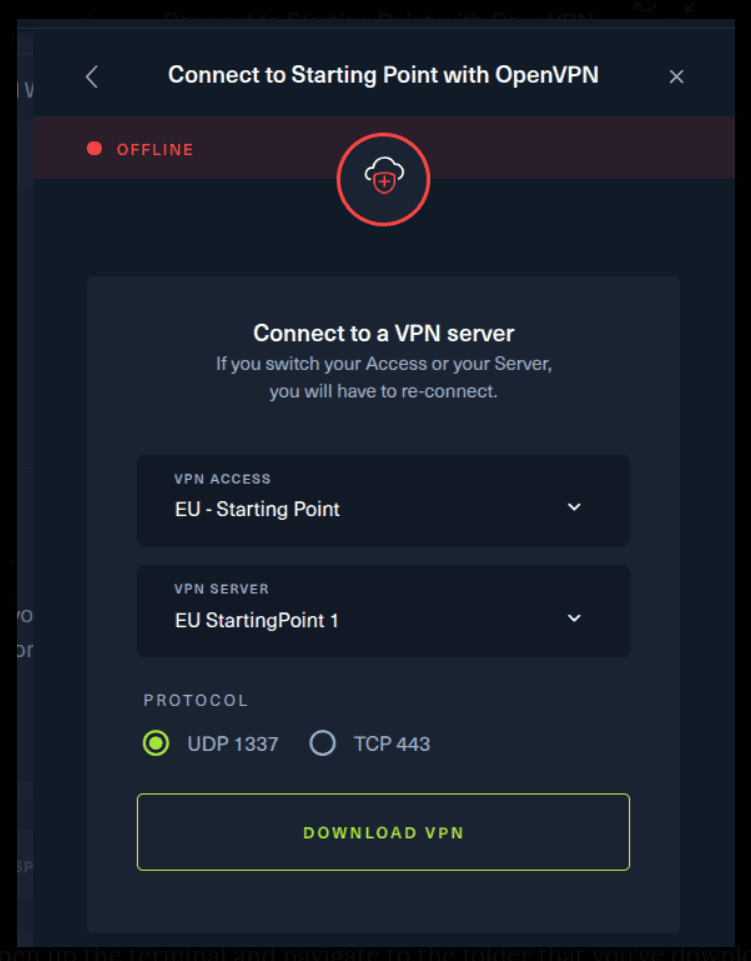
Then open up the terminal and navigate to the folder that you’ve downloaded the .ovpn file. Then, type the following command (change the filename accordingly).
sudo openvpn root.ovpn
To make sure you are connected to the Hack The Box network type the following command in the terminal.
ip a s
You should see a new connection under the tun0 section. For example, I got a inet 10.10.15.55/23.
Next, you click on the “Spawn the target machine and the IP will show here“. Wait for a couple of seconds and a target machine IP address will appear. To make sure you can interact with the machine, you can ping it using the terminal to make sure it responds back.

ping -c 3 10.129.246.7

PING 10.129.246.7 (10.129.246.7) 56(84) bytes of data.
64 bytes from 10.129.246.7: icmp_seq=1 ttl=63 time=57.6 ms
64 bytes from 10.129.246.7: icmp_seq=2 ttl=63 time=84.1 ms
64 bytes from 10.129.246.7: icmp_seq=3 ttl=63 time=973 ms

--- 10.129.246.7 ping statistics ---
3 packets transmitted, 3 received, 0% packet loss, time 2002ms
rtt min/avg/max/mdev = 57.568/371.634/973.217/425.521 ms
Task 1
What does the acronym SQL stand for?
Structured Query Language (SQL) is a domain-specific language used to manage data, especially in a relational database management system (RDBMS). It is particularly useful in handling structured data, i.e., data incorporating relations among entities and variables.
Task 2
What is one of the most common type of SQL vulnerabilities?
In computing, SQL injection is a code injection technique used to attack data-driven applications, in which malicious SQL statements are inserted into an entry field for execution (e.g. to dump the database contents to the attacker). SQL injection must exploit a security vulnerability in an application's software, for example, when user input is either incorrectly filtered for string literal escape characters embedded in SQL statements or user input is not strongly typed and unexpectedly executed. SQL injection is mostly known as an attack vector for websites but can be used to attack any type of SQL database.
Task 3
What is the 2021 OWASP Top 10 classification for this vulnerability?
A quick Internet search will do the job. But in any case, here is the information that you need.
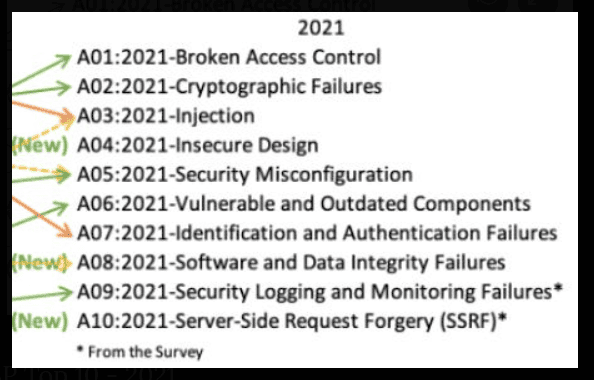
Source: OWASP Top 10 - 2021
If you are curious, you can learn more about injections in the following link. A03:2021 – Injection
Task 4
What does Nmap report as the service and version that are running on port 80 of the target?
We can use the tool Nmap to answer this question. If you are wondering what is Nmap, you are in the right place.
Nmap (Network Mapper) is a network scanner created by Gordon Lyon. Nmap is used to discover hosts and services on a computer network by sending packets and analyzing the responses. So let’s use the following command to find the answer to this question.
sudo nmap -sV -p 80 10.129.246.7

Starting Nmap 7.80 ( https://nmap.org ) at 2025-09-06 13:53 EEST
Nmap scan report for 10.129.246.7
Host is up (0.060s latency).

PORT   STATE SERVICE VERSION
80/tcp open  http    Apache httpd 2.4.38 ((Debian))

Service detection performed. Please report any incorrect results at https://nmap.org/submit/ .
Nmap done: 1 IP address (1 host up) scanned in 8.12 seconds
-sV: Probe open ports to determine service/version info
-p <port ranges>: Only scan specified ports
Well, we need this section of the output for our question.
PORT   STATE SERVICE VERSION
80/tcp open  http    Apache httpd 2.4.38 ((Debian))
You can use the manpage of nmap using the following command if you want to learn more about it.
man nmap
Task 5
What is the standard port used for the HTTPS protocol?
Well, the HTTP protocol uses port 80, so in case you didn’t know the HTTPS protocol uses port 443. :)
Task 6
What is a folder called in web-application terminology?
The answer is directory. Simple.
Task 7
What is the HTTP response code is given for 'Not Found' errors?
The requested resource could not be found but may be available in the future.(404: Not Found)
Task 8
Gobuster is one tool used to brute force directories on a webserver. What switch do we use with Gobuster to specify we're looking to discover directories, and not subdomains?
You can install Gobuster using the following command.
sudo apt install gobuster
Then, you can use the -h argument to find more information about it.
gobuster -h

NAME:
   gobuster - the tool you love

USAGE:
   gobuster command [command options]

VERSION:
   3.8

AUTHORS:
   Christian Mehlmauer (@firefart)
   OJ Reeves (@TheColonial)

COMMANDS:
   dir      Uses directory/file enumeration mode
   vhost    Uses VHOST enumeration mode (you most probably want to use the IP address as the URL parameter)
   dns      Uses DNS subdomain enumeration mode
   fuzz     Uses fuzzing mode. Replaces the keyword FUZZ in the URL, Headers and the request body
   tftp     Uses TFTP enumeration mode
   s3       Uses aws bucket enumeration mode
   gcs      Uses gcs bucket enumeration mode
   help, h  Shows a list of commands or help for one command

GLOBAL OPTIONS:
   --help, -h     show help
   --version, -v  print the version
For answering the question, take a look at the following section.
dir Uses directory/file enumeration mode
Task 9
What single character can be used to comment out the rest of a line in MySQL?
That is the character #. You can also use - - . Either one is acceptable.
Task 10
If user input is not handled carefully, it could be interpreted as a comment. Use a comment to login as admin without knowing the password. What is the first word on the webpage returned?
Navigate to the target IP address using your browser. For me it is the following IP adress. Yours will be different. We can see the following webpage. Let’s try to login as admin.
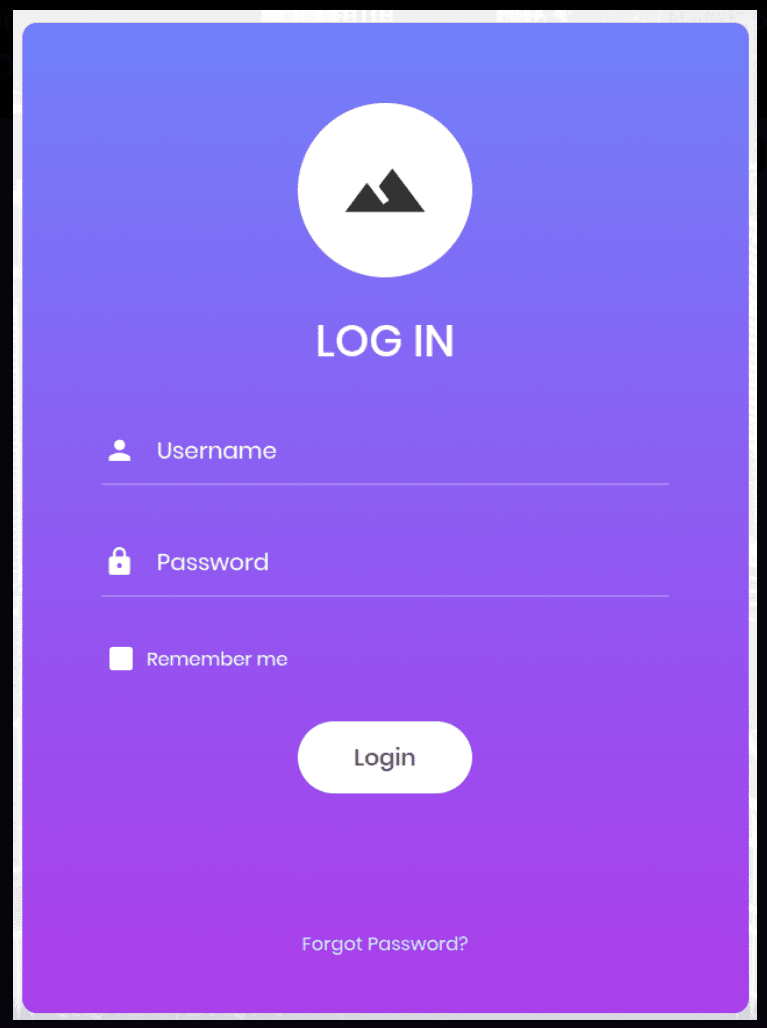
Let’s use some SQL Injection techniques. Just type admin’# as the username and give any password that you like. The password does not matter. So in a sense, after the admin the SQL server intepreters the following statement as a comment and therefore it does not need a password.
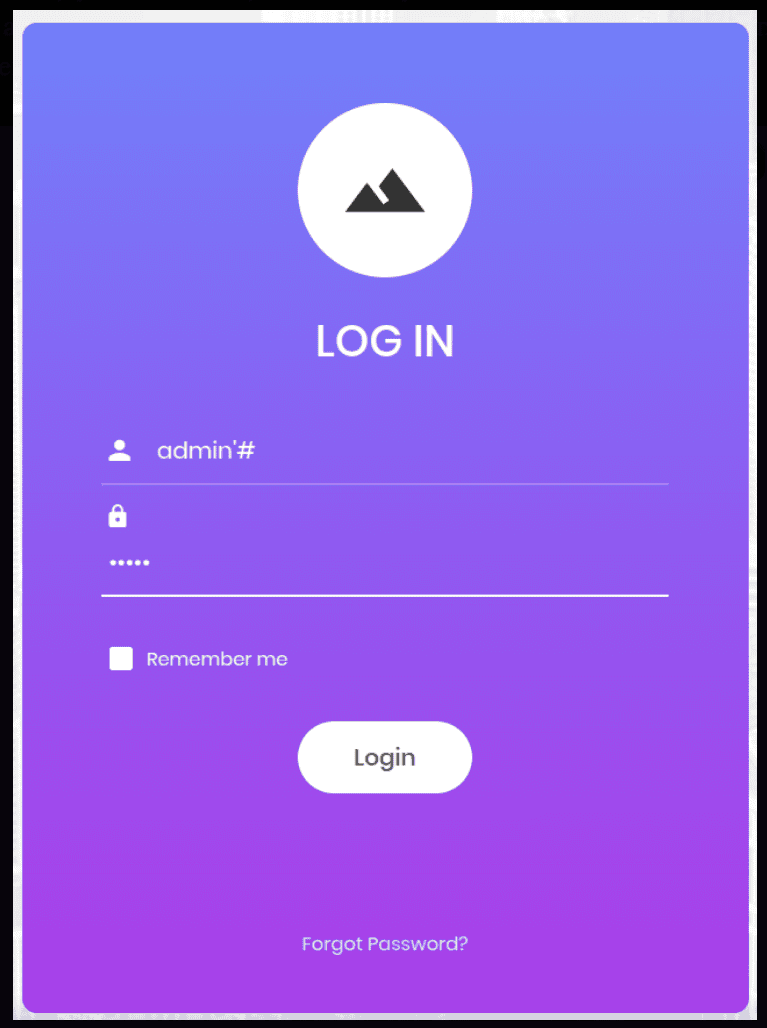
Login to the webpage, and here you can see the first word and the flag!
Congratulations! You have solved this machine! 🎉 🎉 🎉